The problem
Staff recorded their day on paper forms: hours, activities, client cases they worked on and front desk counts. The forms were then typed into spreadsheets by hand. Team leads chased missing logs, totals were added up manually every month, and finding a past record meant digging through paper files. Case details sat on paper, where they were hard to protect and easy to lose.
What we built
A daily activity log app built with Power Apps, SharePoint and Power Automate.
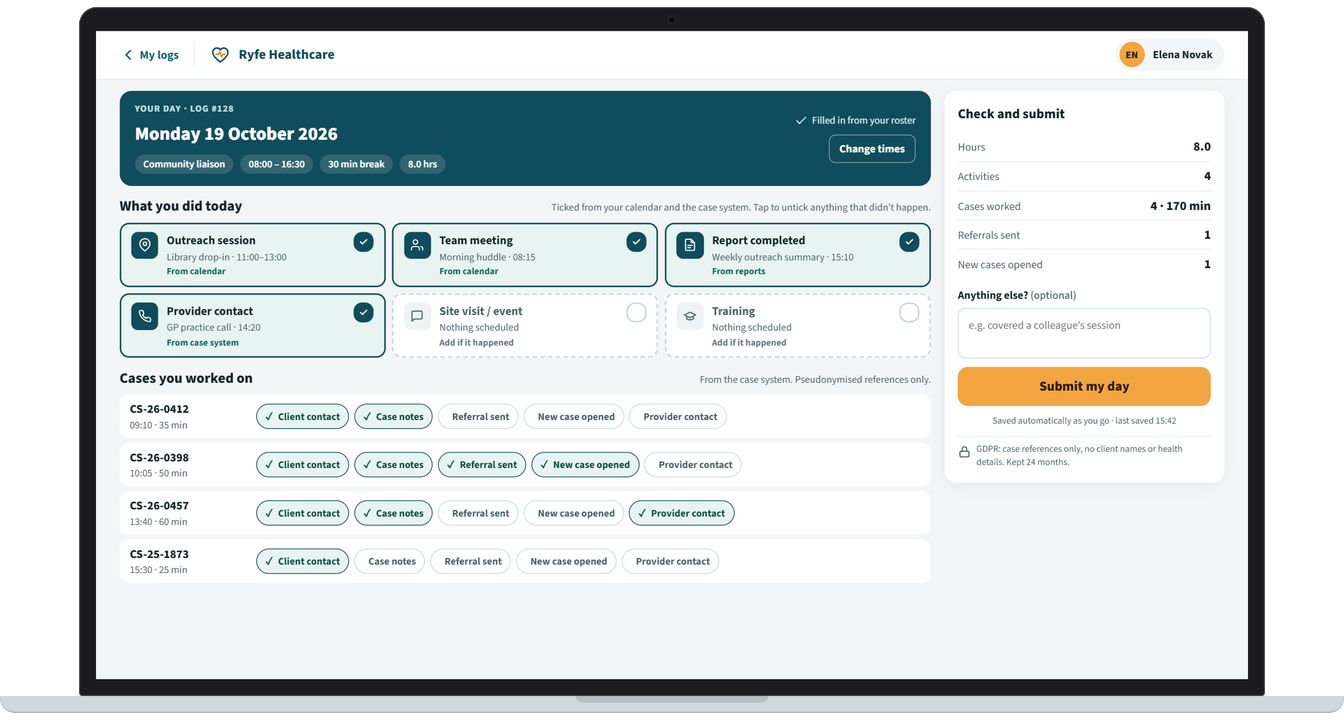
Pre-filled: each staff member’s shift comes from their roster. Activities and case work are pre-ticked from their calendar and the case system, so staff only check their day, untick anything that didn’t happen, and submit.
Works offline: staff can check and fill in their day without signal, and it is sent when they are back online.
Two teams, one form: community liaison staff log the cases they worked on, and client services staff confirm counts such as phone and insurance register enquiries.
Privacy: cases are recorded with pseudonymised references only, with no client names or health details, in line with GDPR.
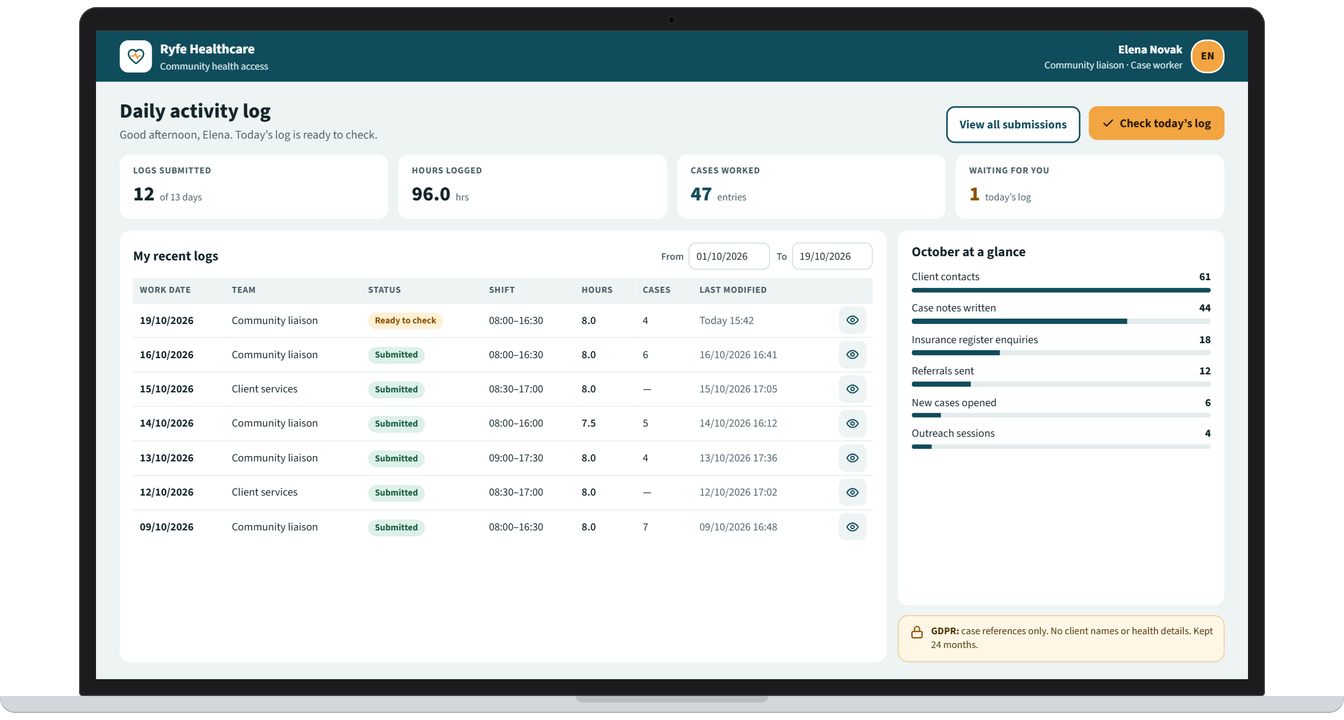
Team view: team leads see every submission in one place, and monthly totals are calculated automatically.
Easy search: find any log in seconds by staff member, team, date range or case reference, instead of digging through paper files.
The result
One digital record in place of paper forms and re-typed spreadsheets. It was built to save staff time at the end of each day, stop manual chasing and counting, make any past log easy to find, and keep client case information protected.
Screens from the app
Example screens. Names and details are changed to protect the client's privacy.
-
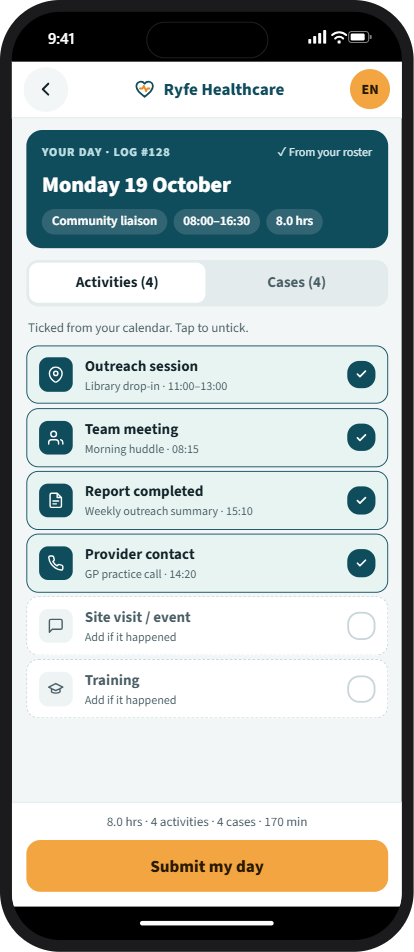
Check the day on a phone and submit
Tell us where work gets held up.
Your first consultation is free. Book a time that suits you and tell us what you need.
Based in the Philippines, working with businesses at home and in Australia, New Zealand, Europe and the US.