Equipment company tracking every order from CRM to after sales
One pipeline from won deal to after sales, across every department
The problem
Sales closed deals in Pipedrive, and then the trail went cold. Someone created each order number by hand, and operations, job management, accounting and service each kept their own list. Before invoicing, accounting checked every order against the CRM manually. Nobody could see where an order was stuck until a customer chased it.
What we built
An order pipeline built as a Power Apps canvas app on SharePoint, with Power Automate and Power BI, connected to Pipedrive.
Automatic orders: when a deal is marked Won in Pipedrive, Power Automate creates the order with the customer and products already filled in.
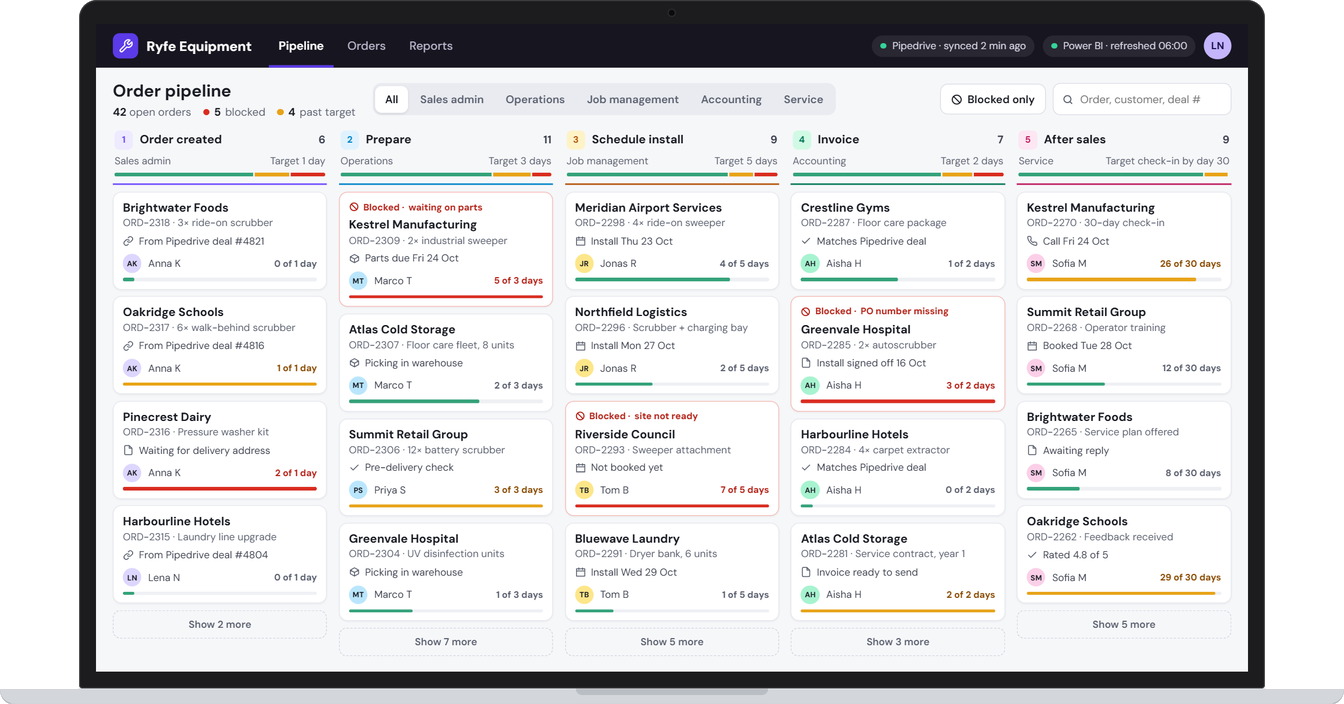
One shared pipeline: five stages, each owned by a department: order created, prepare, schedule install, invoice and after sales. Every order shows its next step, its owner and how long it has been in the stage against the target.
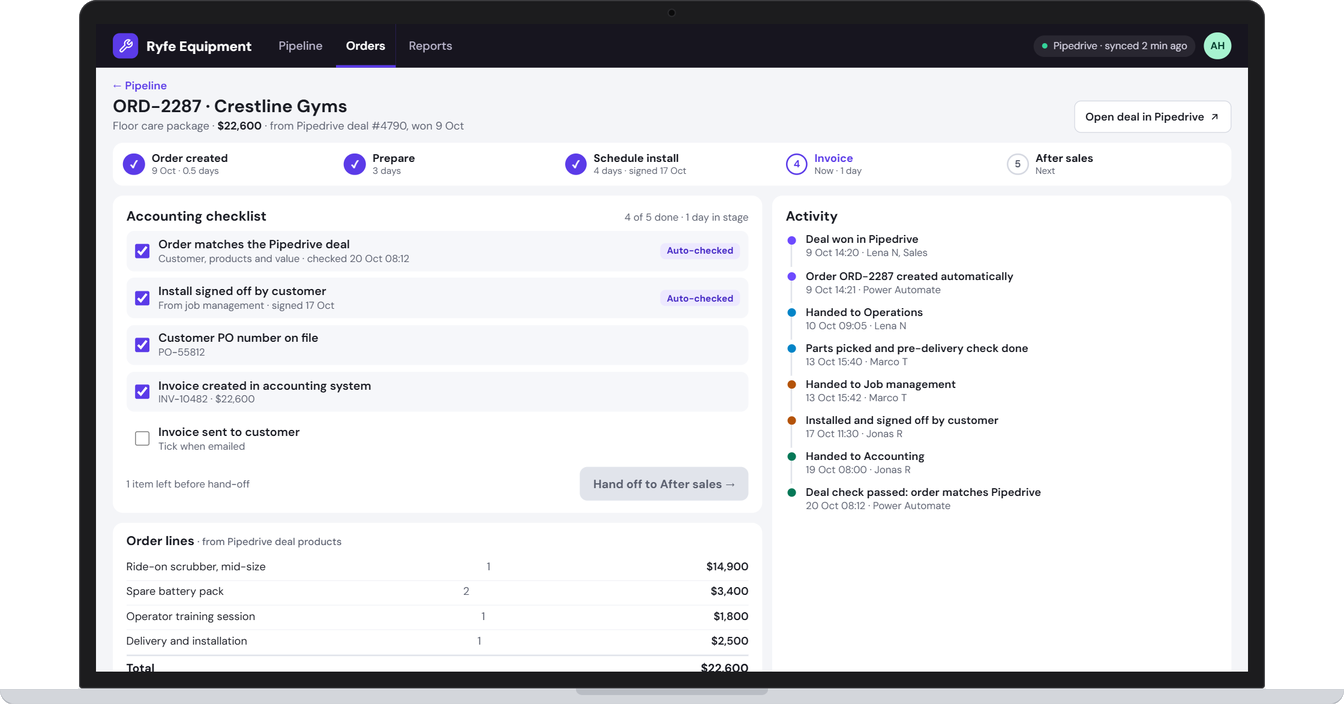
Department checklists and handoffs: each team ticks its own checklist and hands the order to the next team, with every handoff recorded on the order’s timeline.
No more manual CRM checks: the app checks each order against its Pipedrive deal automatically before accounting invoices it.
Blocked orders flagged: stuck orders show the reason, such as waiting on parts, site not ready or missing PO, so they get unblocked instead of forgotten.
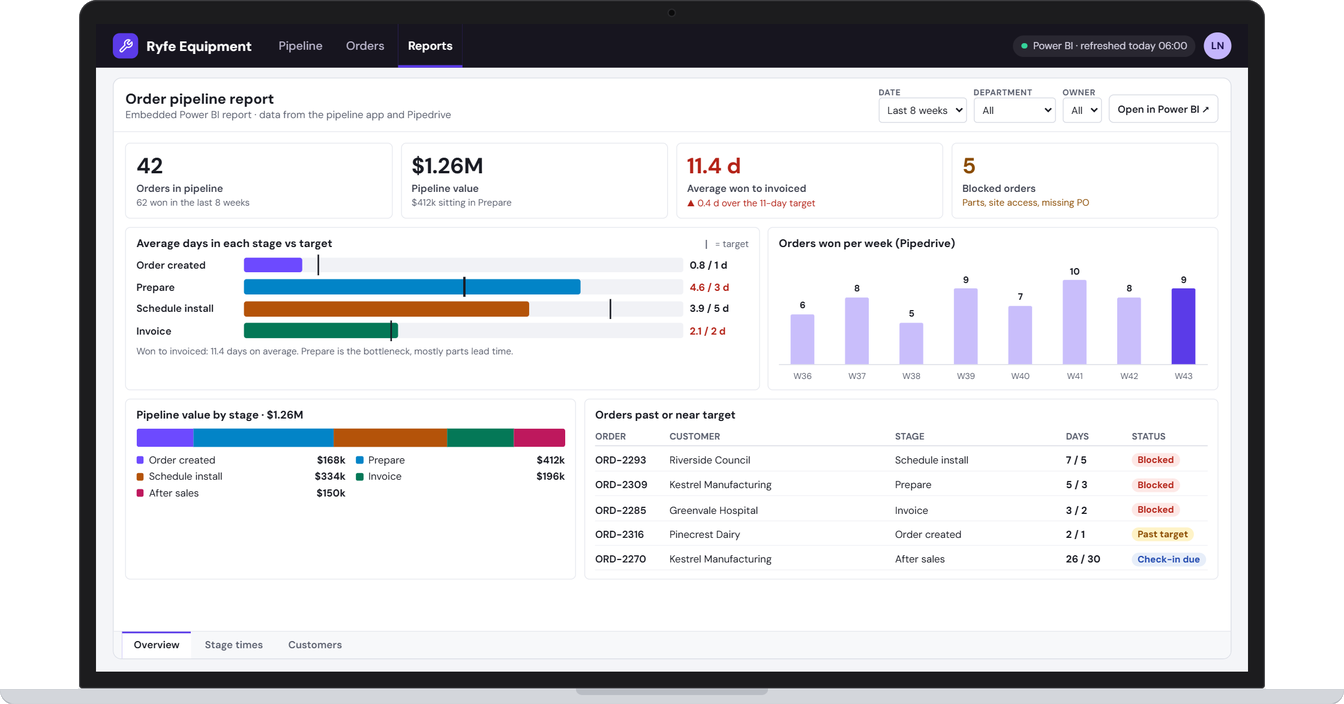
Power BI reporting: pipeline value, time spent in each stage, orders won per week, and the orders running past target.
The result
One pipeline in place of separate department lists. It was built to remove manual order creation and CRM double-checking, make bottlenecks visible early, and give management a clear view from won deal to after sales.
Screens from the app
Example screens. Names and details are changed to protect the client's privacy.
Tell us where work gets held up.
Your first consultation is free. Book a time that suits you and tell us what you need.
Based in the Philippines, working with businesses at home and in Australia, New Zealand, Europe and the US.