School IT team lending laptops and tracking repairs
School device loans and repairs, with photo proof at every handover
The problem
A school IT team lends spare laptops, sends damaged ones to repair and checks student-owned laptops each term. Loans live in a spreadsheet, repairs in emails, and the condition of a laptop when it went out is rarely written down. When a laptop comes back damaged, nobody can show whether the damage is new, and chasing overdue loans takes time every day.
What we built
A device desk app for the IT team, with a phone app for the counter.
Scan the asset tag: the phone camera reads the barcode, shows who has the laptop and why, then asks what is happening: return, repair hand-in or check out.
Photo proof at every handover: four condition photos are taken at each check-out, return and repair hand-in, and matched against the last record. The handover can only be completed once all four are taken.
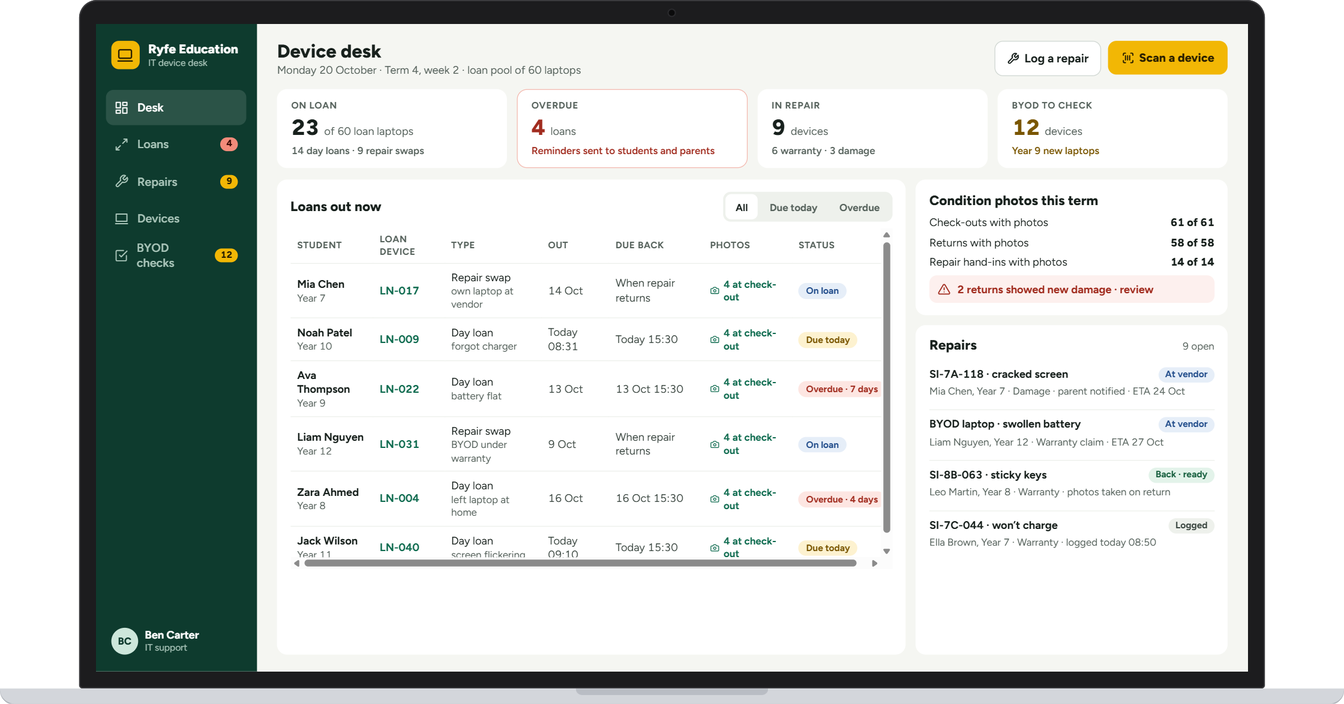
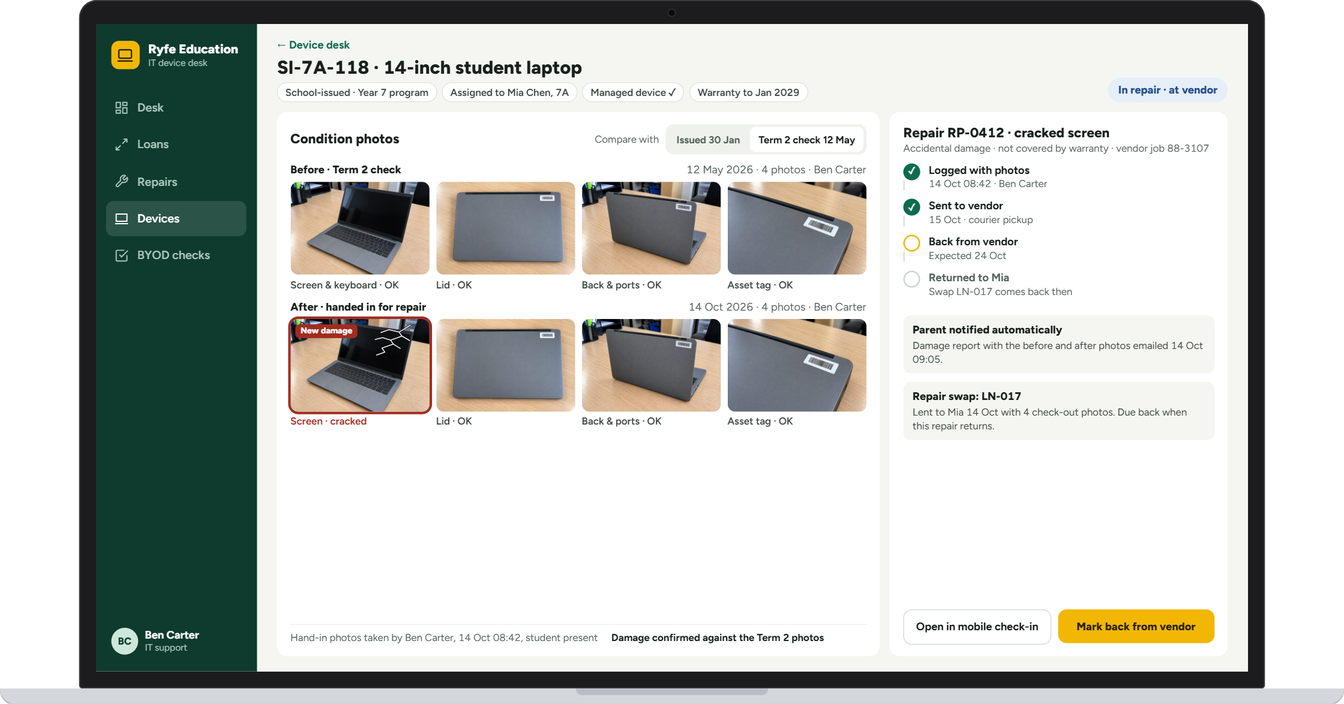
Damage flagged: new damage is marked on the photo and compared with the earlier set, and the parent is emailed the before and after photos automatically.
Repairs tracked: each repair shows when it was logged, sent to the vendor and is due back, with a swap laptop lent in the meantime.
One daily desk: loans out, due today and overdue, repairs in progress and student-owned laptops to check, in one place.
The result
Every loan and repair in one place, with photo evidence for each handover. It was built to settle damage questions with proof, cut the daily chasing of overdue laptops and keep parents informed without extra emails.
Screens from the app
Example screens. Names and details are changed to protect the client's privacy.
-
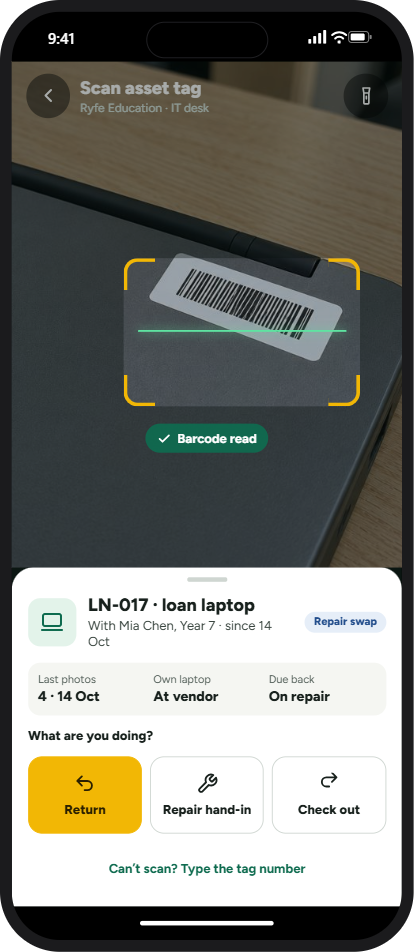
Scan the asset tag to see who has the laptop and why
-
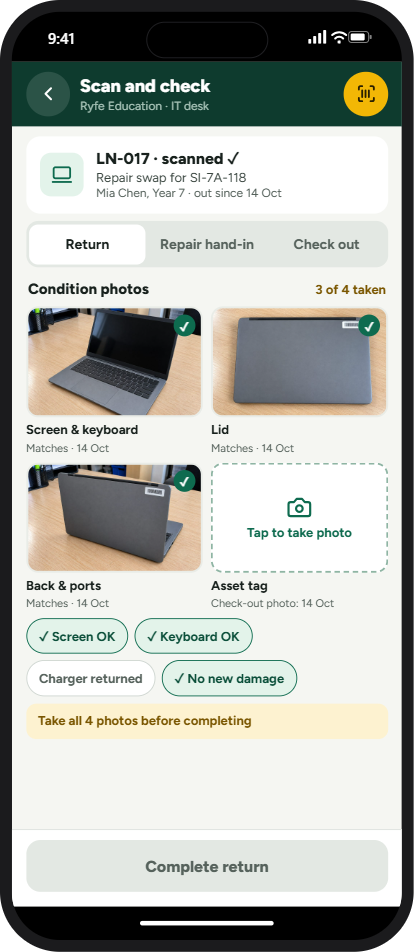
Take all four condition photos before the handover can be completed
Tell us where work gets held up.
Your first consultation is free. Book a time that suits you and tell us what you need.
Based in the Philippines, working with businesses at home and in Australia, New Zealand, Europe and the US.