Solar installer running weekly project cost forecasts
Job costs and forecasts in one weekly flow
The problem
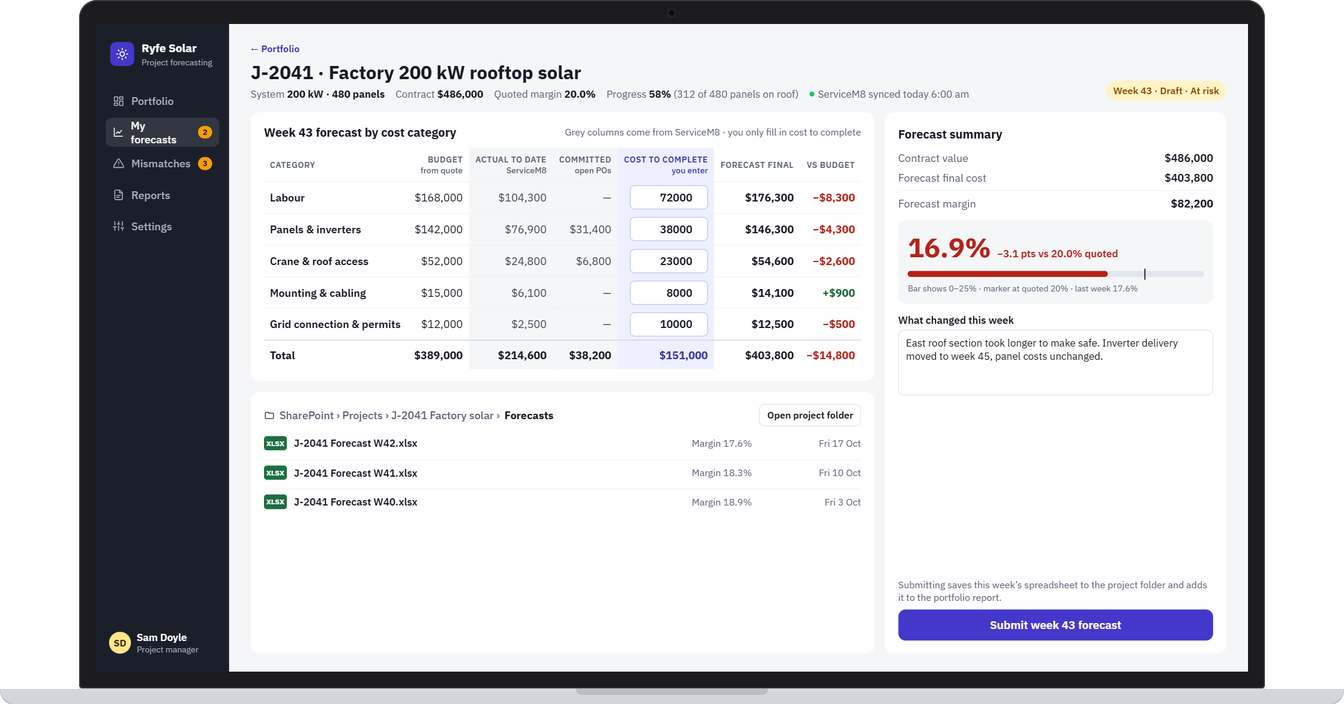
Every week, project managers exported job costs from ServiceM8 into a spreadsheet. They then added their own estimate of what was left to spend on each project and uploaded the file for the office to review. ServiceM8 recorded what had been spent, but not what each project would cost by the end. So forecasting was manual, repeated every week, and margin problems often showed up too late to fix.
What we built
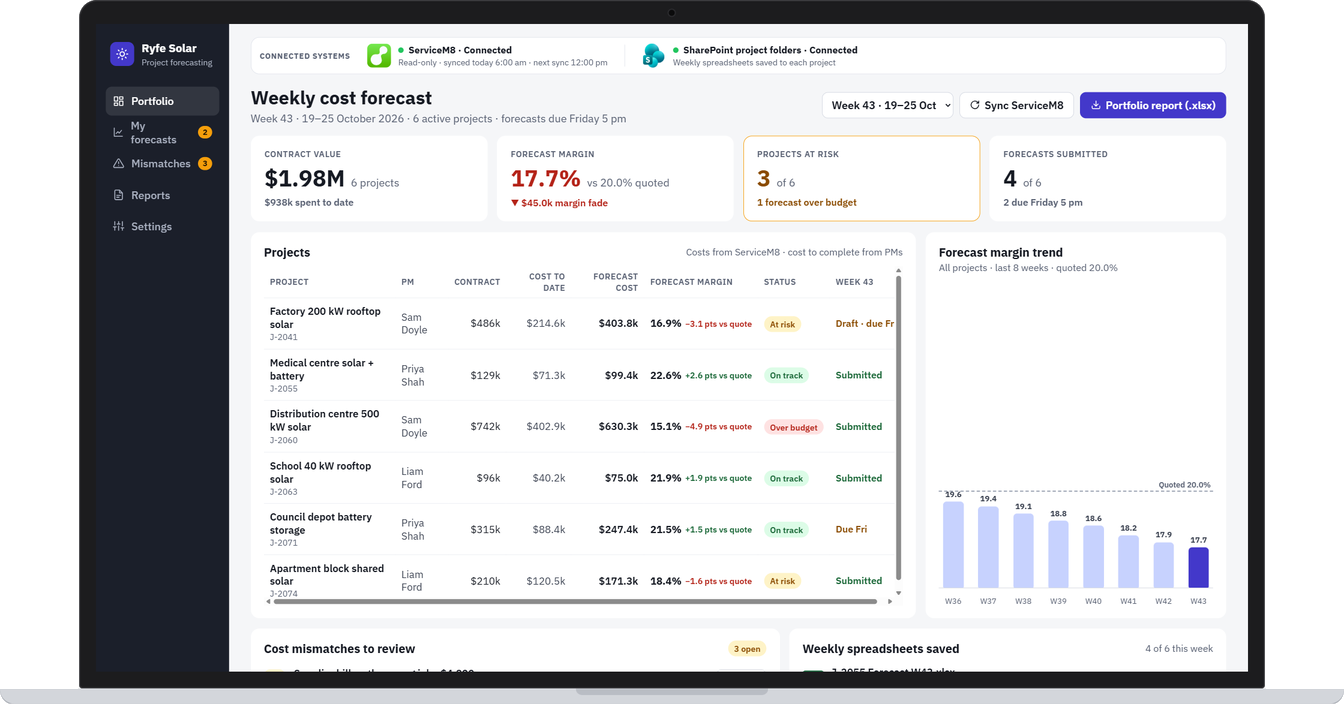
A weekly forecasting app built with Power Apps, Power Automate and SharePoint, connected to ServiceM8 as read-only.
Automatic data: labour, panels, inverters, purchase orders and supplier bills come in from ServiceM8.
What PMs enter: only the remaining cost for each category. The app calculates the forecast final cost and margin against the original quote.
Mismatch flags: costs that don’t add up are flagged for review, such as a bill posted to the wrong job.
Weekly report: submitting a forecast generates the report and saves that week’s spreadsheet to the project’s SharePoint folder, so the team keeps the files they’re used to.
On site: site leads log expenses with a receipt photo and update installation progress from their phones.
The result
A weekly forecast based on live job data instead of exports and uploads. It was built to cut repeated data entry and show margin slippage while there’s still time to act, with every week’s spreadsheet still saved where the team expects it.
Screens from the app
Example screens. Names and details are changed to protect the client's privacy.
-
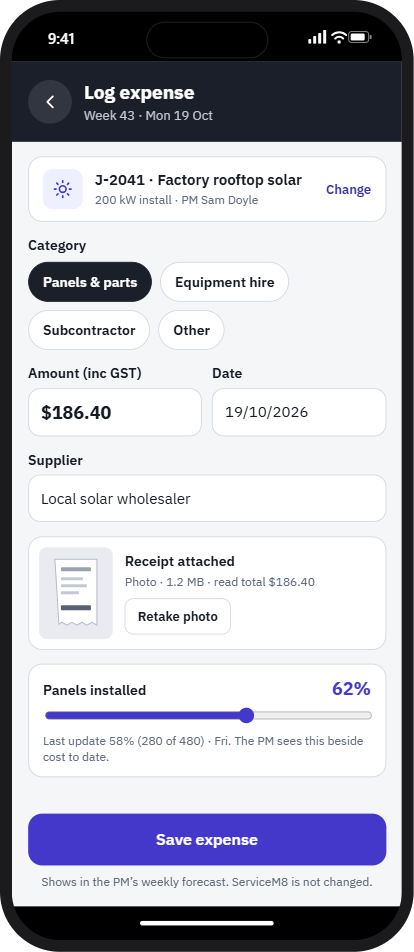
Site leads log an expense with a receipt photo and update progress
Tell us where work gets held up.
Your first consultation is free. Book a time that suits you and tell us what you need.
Based in the Philippines, working with businesses at home and in Australia, New Zealand, Europe and the US.