Microsoft 365 and Power Platform
Stop running your business on spreadsheets.
We build the apps, workflows and reports your team needs, inside the Microsoft 365 you already pay for.
About 10 hours saved every week across 5 inspectors at a door inspection client. See how
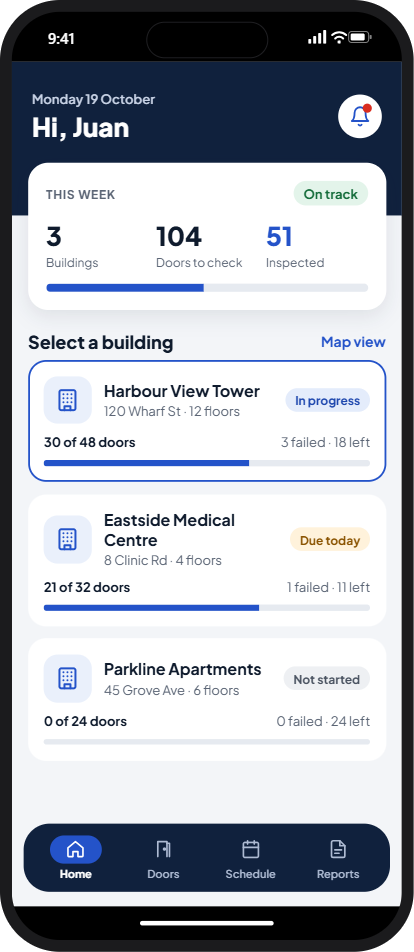
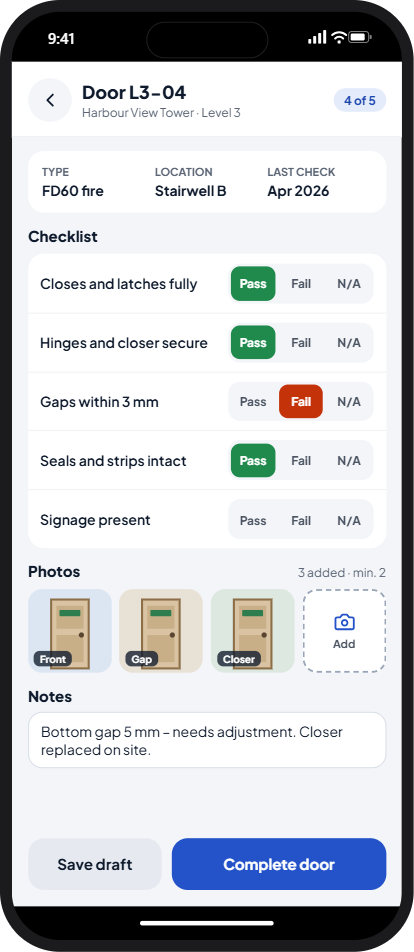
Connected systems
Example-
Job management
Door L3-04 inspected
Harbour View Tower · 1 fail · 3 photos
-
CRM
Remediation opportunity created
Harbour View Tower · 4 defects
-
Finance
Quote QU-3051 drafted
USD 2,450 · ready to send
Inspected once on site. The CRM and finance update on their own.
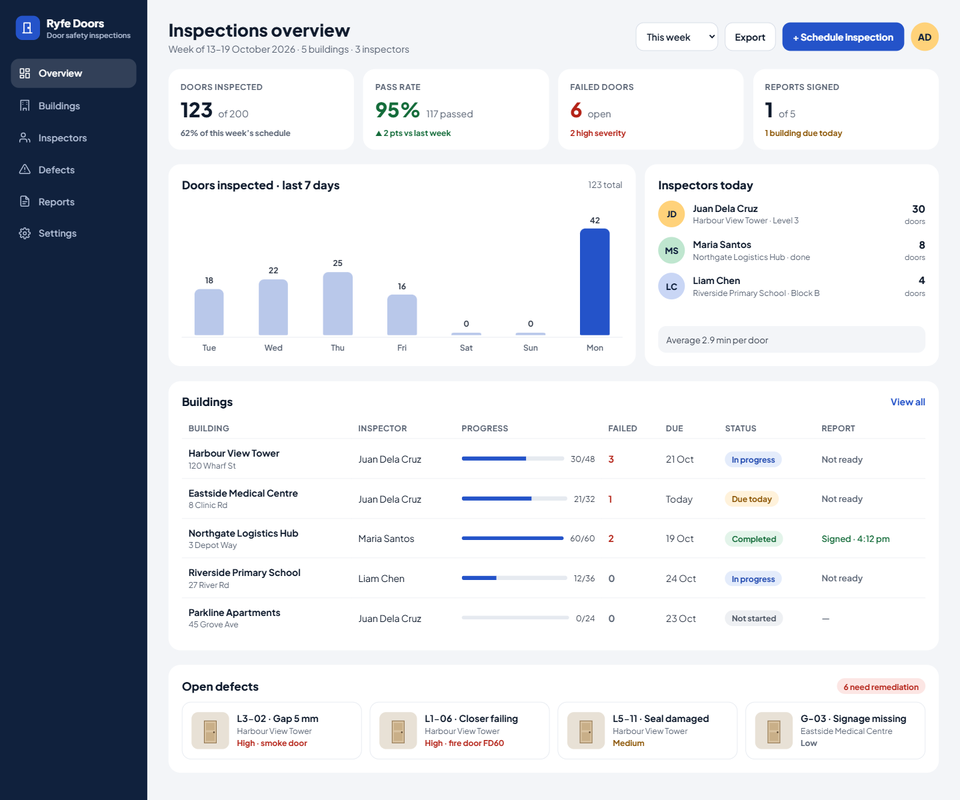
Example Scroll inside the screen to see more
-
 Power Platform Solution Architect Expert
-
 Microsoft MVP, Business Applications (2025-2026)
For trades, education, healthcare, government contractors and brand companies in the Philippines, Australia, New Zealand, Europe and the US.
Built with
Power Platform
-
 Power Apps
-
 Power Automate
-
 Power Pages
-
 Power BI
-
 Dataverse
-
 Copilot Studio
-
 SharePoint
-
 Azure
Azure
Sound familiar?
-
The same details typed into three different places.
-
Approvals stuck in someone's inbox.
-
Reports rebuilt by hand every week.
-
Files and know-how spread across folders, inboxes and laptops.
We fix this kind of work with the Microsoft 365 you already have. See what we build
What we build
-
Work that moves on its own
Approvals, reminders and documents that happen without anyone chasing them.
-
Apps your team will actually use
Simple apps for jobs, inspections, requests and registers, on a phone or at a desk, even offline.
-
Reports that update themselves
Live dashboards in place of exports stitched together every week.
-
Your systems, connected
Your CRM, job and finance tools linked to Microsoft 365, so details are entered once.
We also build SharePoint intranets and Copilot agents, review existing apps and teach Power Platform.
Our work
Client names are withheld and details changed.
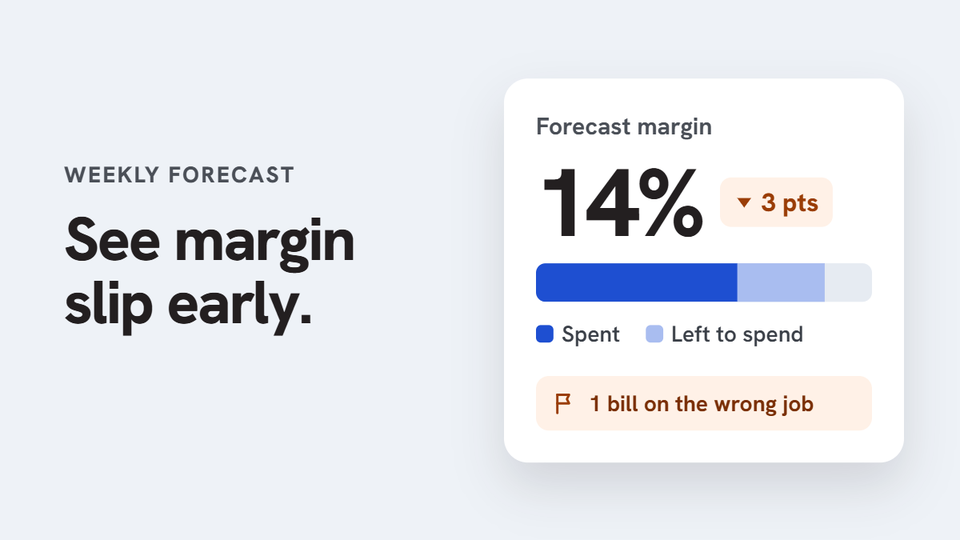
Solar installer running weekly project cost forecasts
Job costs and forecasts in one weekly flow
Every week, project managers exported job costs from ServiceM8 into a spreadsheet. They then added their own estimate of what was left to spend on each project and uploaded the file for the office to review. ServiceM8 recorded what had been spent, but not what each project would cost by the end. So forecasting was manual, repeated every week, and margin problems often showed up too late to fix.
A weekly forecast based on live job data instead of exports and uploads. It was built to cut repeated data entry and show margin slippage while there’s still time to act, with every week’s spreadsheet still saved where the team expects it.
-
Power Apps
-
Power Automate
-
SharePoint
-
Dataverse
-
Azure
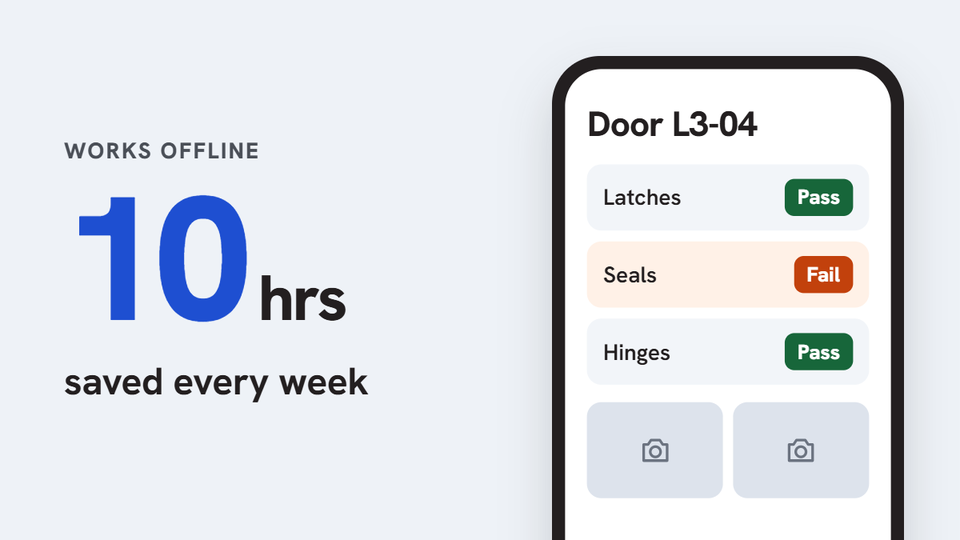
Organization that inspects and maintains doors across several sites
Door inspections that work offline
Assigning inspections, capturing findings, keeping evidence in order and tracking maintenance needed one consistent process in the field, and the signal on site was not always reliable.
Result: About 10 hours a week saved across 5 inspectors (around 480 hours a year), and the admin gets reports straight away. The app is live.
-
Power Apps
-
SharePoint
-
Power Automate
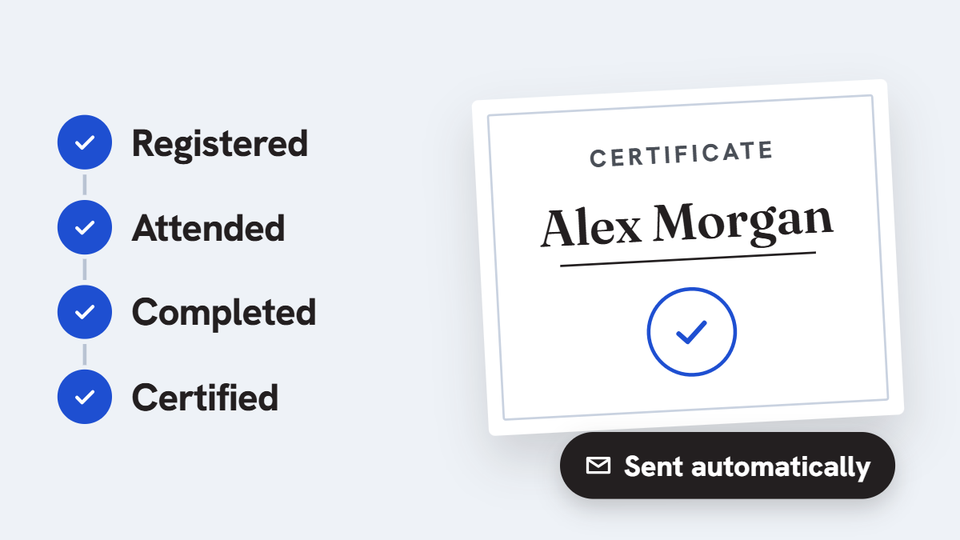
Training provider running recurring certification programs
Participant tracking and certificates in one flow
Registration, attendance, completion checks and certificate preparation sat in separate records, with a lot of repeated admin follow-up.
One process in place of separate records, built to cut duplicate tracking and manual certificate admin.
-
Power Apps
-
SharePoint
-
Power Automate
Built to be looked after
-
Built in your tenant
Apps and flows live in your own Microsoft environment. Your data stays there, and we build and support the solution on your instructions.
-
Built in small parts
Flows are built as small reusable parts, not one long chain, so they are easier to change.
-
Watched after go-live
When something breaks, a developer is notified.
How we work
It starts with a free first consultation.
-
Free first call
Tell us where work gets held up. If off-the-shelf software fits you better, we will say so.
-
Written scope and price
Scope, price and timeline are agreed in writing before any work starts.
-
Built, then looked after
We build in your own Microsoft 365, and every build includes Post Launch Care after go-live: usually 1 to 2 weeks, longer for bigger projects, set in your written scope. Ongoing support is optional.
Questions people ask
Is the first consultation free?
Yes. Book a time that suits you at meet.ryfetech.com and tell us what you need.
Where do the apps you build live?
In your own Microsoft environment. Your data stays there, and we build and support the solution on your instructions.
Do I need extra Microsoft licenses?
Often not. Many apps and flows run on the Microsoft 365 licenses you already have. Some solutions need more, for example Power Apps premium licenses for Dataverse or premium connectors, Power Pages for people outside your company, or Azure for heavier work. We tell you what is needed before we start.
Do you run training?
Yes, including PL-900 Power Platform Fundamentals. See all our trainings at training.ryfetech.com.
I am already a client. Where do I go?
Use the client portal at portal.ryfetech.com.
How do I reach you quickly?
Message us on WhatsApp at +63 976 227 7718, or email [email protected].
About RyfeTech
RyfeTech builds business apps, workflows and reports on Microsoft 365 and Power Platform for growing businesses. We are based in the Philippines and work with clients at home and in Australia, New Zealand, Europe and the US.

Meet the founder
Charven Ligan
Founder and principal consultant · Microsoft MVP, Business Applications (2025-2026)
I spent nearly nine years in education IT, starting in support and growing into systems manager. I built systems from scratch and helped sales, marketing, procurement, accounting, the library and even the school infirmary move off paper and spreadsheets.
Then I found Power Platform, and I’ve spent the four years since building one system after another with it. Some of the apps I built for project managers have now run for over two years without breaking.
Along the way I learned what makes a system stick: it has to fit how each team already works. That’s how RyfeTech builds. Apps, flows and reports live in your own Microsoft 365, are built in small parts that are easy to change, and are looked after once they go live.
We work with business owners whose key work still runs on spreadsheets, paper or email, and with independent consultants who need a build team behind them. I stay hands-on in every project, working alongside my team.
25+ Microsoft certifications attained, including Power Platform Solution Architect Expert, Azure AI Engineer Associate and Fabric Analytics Engineer Associate · Microsoft Certified Trainer · Power Apps Community Super User (2023-2025)
Connect on LinkedIn-
 Microsoft AI Cloud Partner Program member
-
 Claude for Startups, Anthropic
-
 ServiceM8 Registered Developer
Also from RyfeTech
Tell us where work gets held up.
Your first consultation is free. Book a time that suits you and tell us what you need.
Based in the Philippines, working with businesses at home and in Australia, New Zealand, Europe and the US.